


Default
Door staff@engadget.com (Adnan Ahmed) - 27 Aug 2026
If you use an iPhone or Mac on a daily basis and need to get your wireless audio needs taken care of, a set of Apple's AirPods is your best bet. You even have a few different options, so it's not like they're reserved for those willing to spend hundreds of dollars on a pair of headphones or earbuds. With features like active noise cancellation, spatial audio and solid battery life, the AirPods 4 with ANC offer many of the same perks as the more expensive AirPods Pro 3 do. Plus, Apple has tweaked the listening experience in a way that attracts most casual listeners.
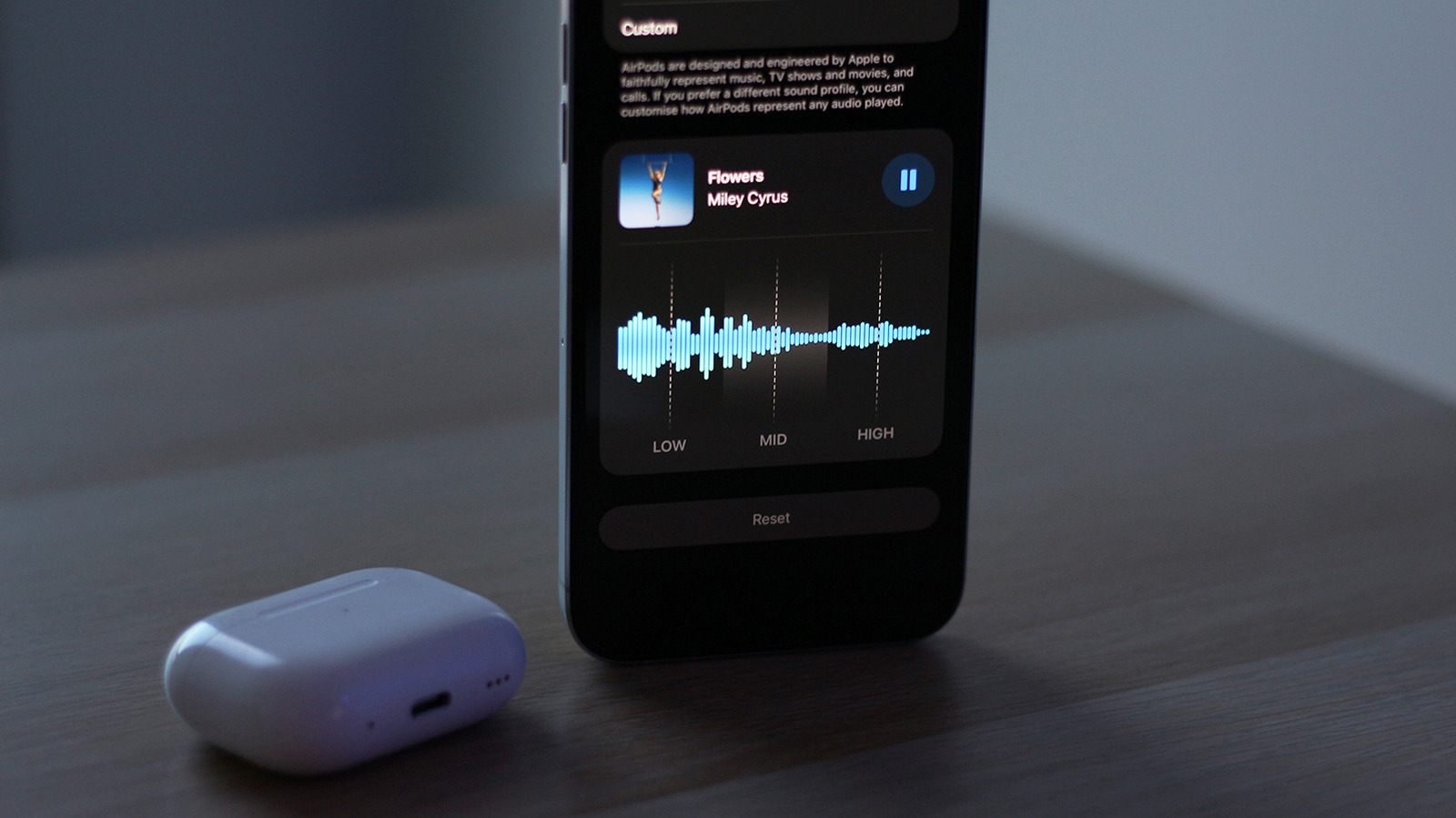
With iOS 27, though, Apple is giving users more control over how their AirPods sound. Beta builds of iOS 27 offer a new custom EQ feature that lets you adjust different frequencies to emphasize the vocals or bring out more bass. You'll need an iPhone, iPad, or Mac running the latest beta software from Apple and a pair of compatible AirPods also running the newest beta firmware. Apple hasn't explicitly mentioned which AirPod models are set to receive the custom EQ treatment, but reports suggest that the feature is currently available on newer models equipped with Apple's H2 chip. This includes AirPods Pro 2, AirPods Pro 3, AirPods 4 and the AirPods Max 2.
To get started, connect your AirPods to your iPhone, iPad or Mac. Open the Settings app and head to your AirPods' settings page. Navigate to Audio & Routing > Equalizer. If you don't spot this submenu, head back, scroll down, tap on AirPods Beta Updates and turn the toggle on. Firmware updates are automatically installed when you place the AirPods in their charging case and place it near the connected device.
With iOS 27, though, Apple is giving users more control over how their AirPods sound. Beta builds of iOS 27 offer a new custom EQ feature that lets you adjust different frequencies to emphasize the vocals or bring out more bass. You'll need an iPhone, iPad, or Mac running the latest beta software from Apple and a pair of compatible AirPods also running the newest beta firmware. Apple hasn't explicitly mentioned which AirPod models are set to receive the custom EQ treatment, but reports suggest that the feature is currently available on newer models equipped with Apple's H2 chip. This includes AirPods Pro 2, AirPods Pro 3, AirPods 4 and the AirPods Max 2.
To get started, connect your AirPods to your iPhone, iPad or Mac. Open the Settings app and head to your AirPods' settings page. Navigate to Audio & Routing > Equalizer. If you don't spot this submenu, head back, scroll down, tap on AirPods Beta Updates and turn the toggle on. Firmware updates are automatically installed when you place the AirPods in their charging case and place it near the connected device.