


Default
Door staff@engadget.com (James Trew) - 25 Sep 2026
Thunderbolt Dock 5 can support up to four displays simultaneously over both HDMI and Thunderbolt. The reality is a little more complicated. MacOS doesn't natively support multiple displays over HDMI hubs or splitters. If you plug two monitors into the HDMI ports on this hub and connect it to a Mac, your screen will be mirrored on both. You can, however, use one HDMI input, another from the Mac itself and any of the Thunderbolt ports for a true multi-display setup. Windows is a little more flexible here, with dual-HDMI support being more common.
This flexibility does introduce some other considerations. The HDMI outputs are 4K/60Hz max whatever your configuration, so if 8K or higher refresh rates are important to you, you'll be reaching for a Thunderbolt port regardless.
I do a lot of work with video, so I need reliable, fast ports for slinging gigabytes of media between cameras, SD cards and various hard drives (including the one in my Mac or Windows laptop). This dock recognized any storage I plugged into it every single time. I wish that wasn't something I had to be excited about, but it is. Transferring data always gave me maximum (or ballpark max) data speeds even when moving files from multiple sources at the same time. There's another small, but important benefit, too: weight. The Thunderbolt 5 Dock is steady enough that I can "click" a microSD card into it with one finger and the dock doesn't slide around on the desk. That's almost worth the $350 alone. My old, far cheaper, Ugreen dock, even with a Mac mini on top, couldn't promise not to move — or even register my SD card if I inserted it before waking up the computer.
The second, and more revealing, way I tested this dock is with my laptop. I have a 13-inch Asus foldable that is powerful enough to get most "desktop" tasks done, but when I'm in the office it's frustrating to work on a smaller screen and with limited inputs and outputs. This is where this dock becomes more transformative. It's not simply adding a few ports, it converts my laptop into a podcast and video studio, connected to my Rodecaster and mirrorless camera/capture card with multiple displays with full power supply — all over one cable.
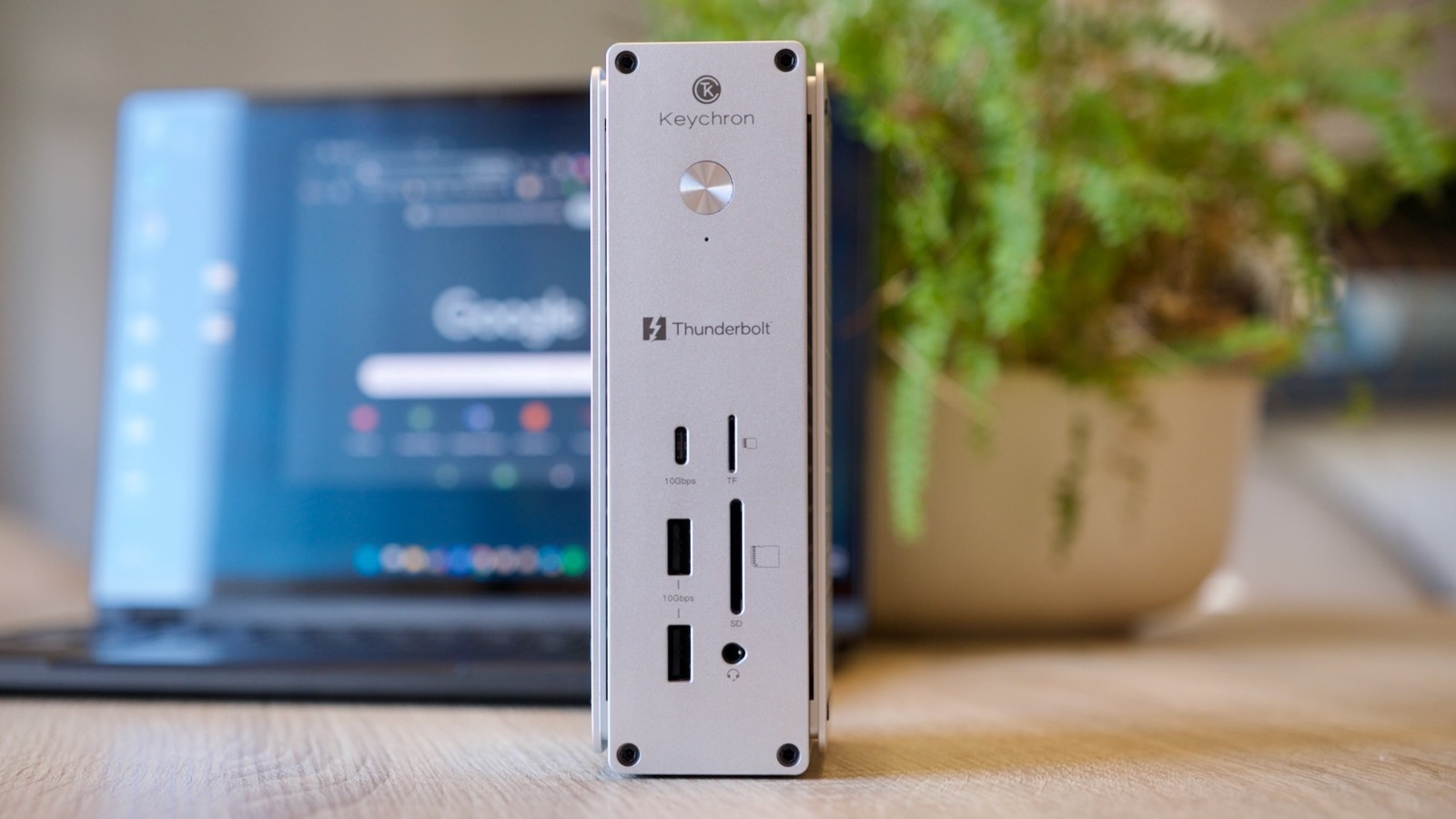
The design of the dock itself is definitely "Apple-inspired" with brushed aluminum. It looks the part next to a Mac and doesn't feel out of place when I use it with my Windows laptop, either. One thing I really appreciate is that there are rubber feet on two sides so you can set it in both upright/tower or flat orientations. Rival docks make that decision for you and it's frustrating if you have a space limitation or visual/ergonomic preference. The design makes clever use of CNC-cut panels on the sides that look stylish and double as effective heatsinks. The benefit is the dock doesn't need a fan, so it runs silent.
This flexibility does introduce some other considerations. The HDMI outputs are 4K/60Hz max whatever your configuration, so if 8K or higher refresh rates are important to you, you'll be reaching for a Thunderbolt port regardless.
I do a lot of work with video, so I need reliable, fast ports for slinging gigabytes of media between cameras, SD cards and various hard drives (including the one in my Mac or Windows laptop). This dock recognized any storage I plugged into it every single time. I wish that wasn't something I had to be excited about, but it is. Transferring data always gave me maximum (or ballpark max) data speeds even when moving files from multiple sources at the same time. There's another small, but important benefit, too: weight. The Thunderbolt 5 Dock is steady enough that I can "click" a microSD card into it with one finger and the dock doesn't slide around on the desk. That's almost worth the $350 alone. My old, far cheaper, Ugreen dock, even with a Mac mini on top, couldn't promise not to move — or even register my SD card if I inserted it before waking up the computer.
The second, and more revealing, way I tested this dock is with my laptop. I have a 13-inch Asus foldable that is powerful enough to get most "desktop" tasks done, but when I'm in the office it's frustrating to work on a smaller screen and with limited inputs and outputs. This is where this dock becomes more transformative. It's not simply adding a few ports, it converts my laptop into a podcast and video studio, connected to my Rodecaster and mirrorless camera/capture card with multiple displays with full power supply — all over one cable.
The design of the dock itself is definitely "Apple-inspired" with brushed aluminum. It looks the part next to a Mac and doesn't feel out of place when I use it with my Windows laptop, either. One thing I really appreciate is that there are rubber feet on two sides so you can set it in both upright/tower or flat orientations. Rival docks make that decision for you and it's frustrating if you have a space limitation or visual/ergonomic preference. The design makes clever use of CNC-cut panels on the sides that look stylish and double as effective heatsinks. The benefit is the dock doesn't need a fan, so it runs silent.