


Default
Door staff@engadget.com (Christine Persaud) - 14 Nov 2026
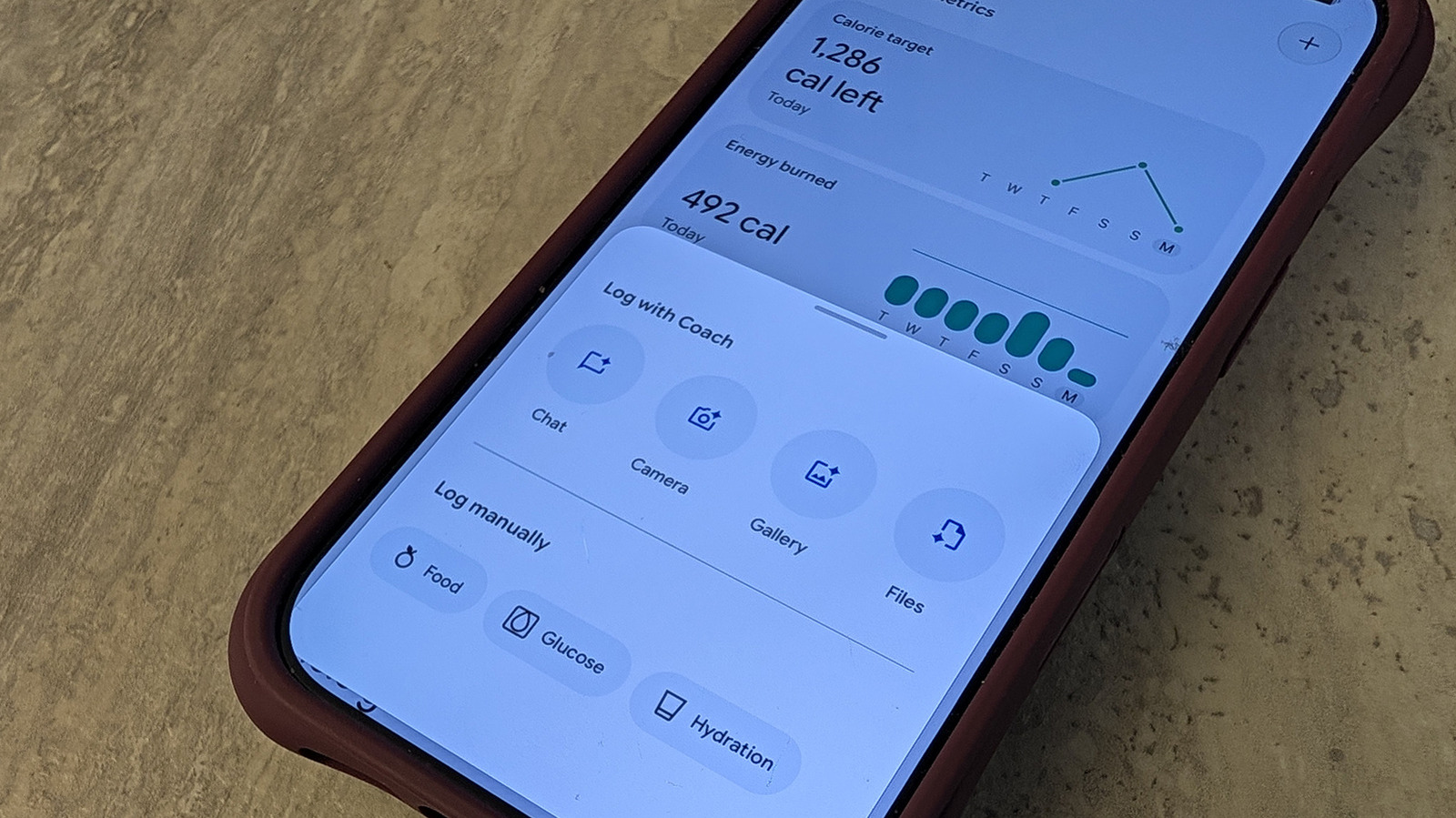
Once you sign up for Google Health Premium, available at $9.99 per month or at no extra charge through a Google One subscription, it unlocks a Nutrition section under the Health tab of the app. Here, you can see data like your calorie target (based on gender, age, height, weight, and average activity) and caloric burn and intake. It knows how many calories you burned based on steps, activity, and heart rate logged from a companion tracker or smartwatch. But how does it know how much you consumed? That's up to you to log.
There are several ways you can log a meal. Tap the "+" sign at the top right of the Nutrition card, tap the "+ Log" button under your daily summary on the Today tab, or select Food & Drink if it's within those customizable tabs. You can also select the Ask Coach assistant and type or speak details of the meal.
It's incredibly simple. Describe the meal (say "I had a coffee, banana, and coconut yogurt") or use a barcode scanner on each ingredient. The most convenient option? Just take a photo. Use that photo you were going to upload to social media anyway and upload it to the app. Alternatively, you can take one right from the app. It intelligently analyzes and identifies the dish, then calculates data from the ingredients. You can even snap a photo of a packaged item, like a box of cereal or protein bar, and watch it calculate the nutritional content accordingly.
If necessary, you can modify details as needed. Maybe you want to clarify that your Caesar salad has light dressing, for example, or that you only ate half a portion.
There are several ways you can log a meal. Tap the "+" sign at the top right of the Nutrition card, tap the "+ Log" button under your daily summary on the Today tab, or select Food & Drink if it's within those customizable tabs. You can also select the Ask Coach assistant and type or speak details of the meal.
It's incredibly simple. Describe the meal (say "I had a coffee, banana, and coconut yogurt") or use a barcode scanner on each ingredient. The most convenient option? Just take a photo. Use that photo you were going to upload to social media anyway and upload it to the app. Alternatively, you can take one right from the app. It intelligently analyzes and identifies the dish, then calculates data from the ingredients. You can even snap a photo of a packaged item, like a box of cereal or protein bar, and watch it calculate the nutritional content accordingly.
If necessary, you can modify details as needed. Maybe you want to clarify that your Caesar salad has light dressing, for example, or that you only ate half a portion.