


Default
Door staff@engadget.com (Will Shanklin) - 25 Oct 2026
Each time you open the app, you'll need to slowly move your phone around. This lets it map your surroundings so it can accurately measure things.
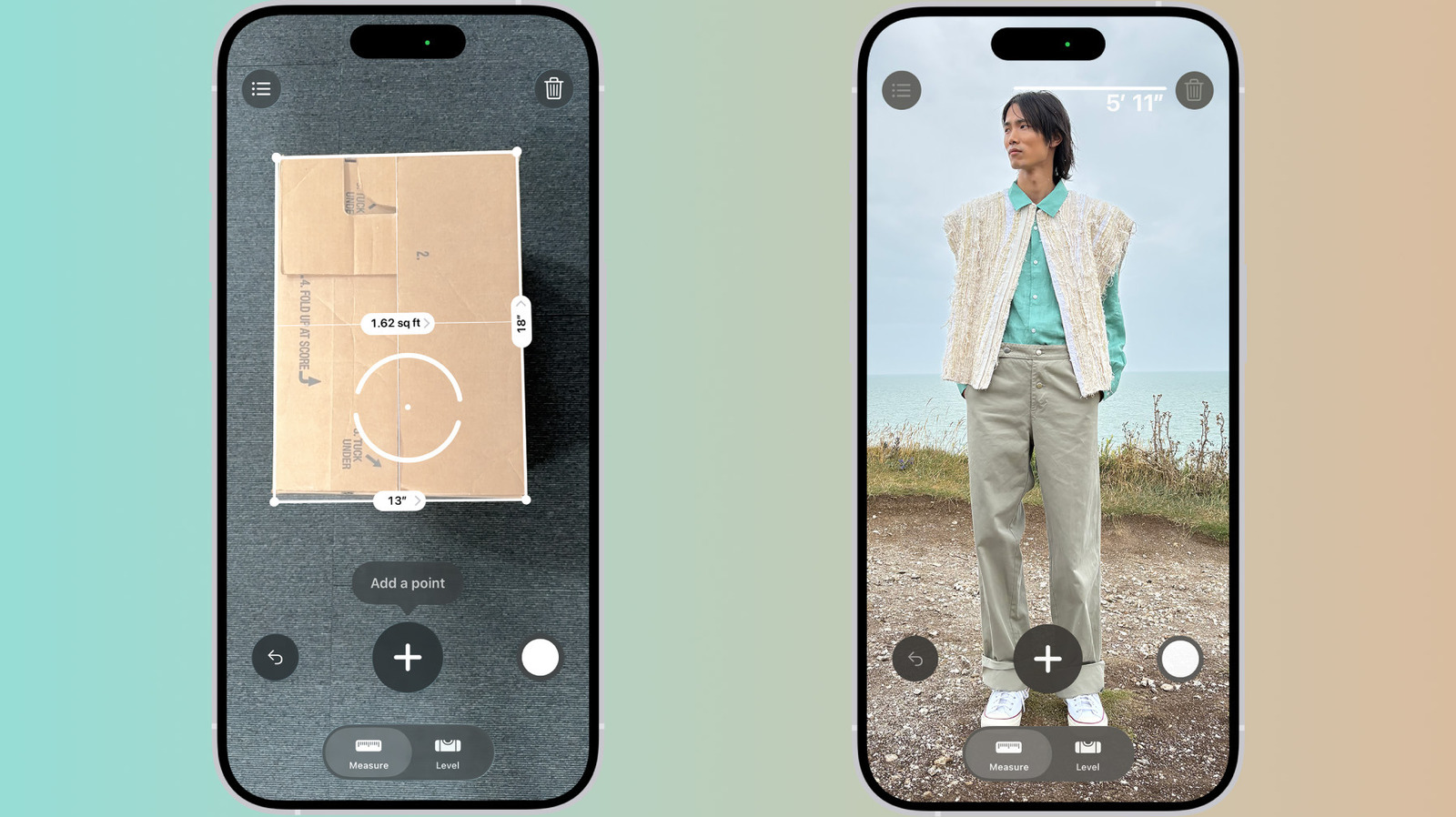
Once it finishes that initial scan, you can start measuring. Aim the dot at one end of the object you want to measure and tap the + button. Then, move the camera view to the other end and tap + again. Presto: The length appears on the screen.
You can tap the shutter button to save a screenshot to Photos. If you need to go back, there's an undo button; if you want to start over, tap the clear (trash can) icon. Pro models keep a list of your measurements, but only until you close the app. So if you need to revisit them later, copy them into another app or save a snapshot to Photos.
The app can also automatically measure rectangles. If it detects the edges of a rectangular object, a white box will appear around it. Tap the white box or the + button to see the dimensions.
There's a Level tab at the bottom of the screen too. Tap that, lay your phone flat on something like a shelf or a hanging picture frame and it will show you how many degrees you're off by. You can also compare the slopes of two surfaces: tap the screen to capture the first angle, then place the iPhone on another surface and rotate it until the screen turns green.
Once it finishes that initial scan, you can start measuring. Aim the dot at one end of the object you want to measure and tap the + button. Then, move the camera view to the other end and tap + again. Presto: The length appears on the screen.
You can tap the shutter button to save a screenshot to Photos. If you need to go back, there's an undo button; if you want to start over, tap the clear (trash can) icon. Pro models keep a list of your measurements, but only until you close the app. So if you need to revisit them later, copy them into another app or save a snapshot to Photos.
The app can also automatically measure rectangles. If it detects the edges of a rectangular object, a white box will appear around it. Tap the white box or the + button to see the dimensions.
There's a Level tab at the bottom of the screen too. Tap that, lay your phone flat on something like a shelf or a hanging picture frame and it will show you how many degrees you're off by. You can also compare the slopes of two surfaces: tap the screen to capture the first angle, then place the iPhone on another surface and rotate it until the screen turns green.